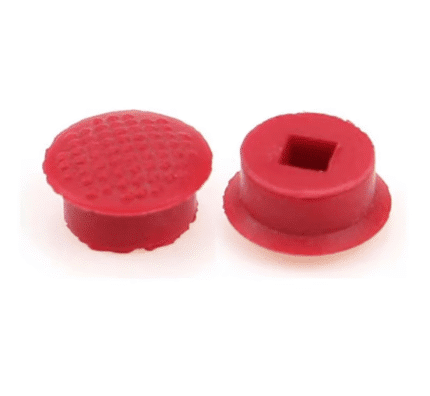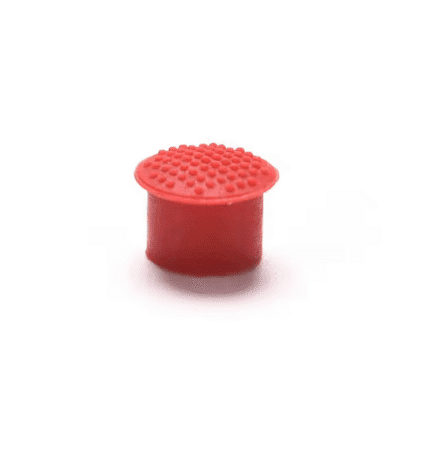
Lenovo ThinkPad X1 Carbon TrackPoint Mouse Pointer Replacement Part
€2.00
Lenovo ThinkPad X1 Carbon TrackPoint Mouse Pointer
18 in stock
Replacement TrackPoint for ThinkPad X1 Carbon
The built-in TrackPoint is one of the best things about using a ThinkPad X1 Carbon. When the small red cap in the middle of the keyboard wears down, the pointer can feel slippery and awkward. This ThinkPad X1 Carbon TrackPoint mouse pointer replacement part lets you refresh that feel with a new cap so you can work comfortably again.
What This Replacement Part Does
The cap sits on the TrackPoint stem between the keys and gives your finger a textured surface to push against. Fitting a new cap can:
- Improve grip so your finger no longer slides off the pointer
- Make fine cursor movements easier when editing text or working in spreadsheets
- Reduce your dependence on an external mouse when travelling with your laptop
Designed for Lenovo ThinkPad X1 Carbon
This mouse pointer cap is intended for compatible Lenovo ThinkPad X1 Carbon models that use the classic red TrackPoint in the centre of the keyboard. It is made to push directly onto the existing stem in place of the original cap.
If you would like to double-check your exact model number, you can find it on the label underneath the laptop or in the system information and confirm details on the Lenovo support website.
How to Know It Is Time to Replace the Cap
- The original red cap has fallen off or gone missing
- The surface looks polished and smooth rather than textured
- The pointer feels harder to control even after cleaning the keyboard
- You want your ThinkPad X1 Carbon keyboard to feel closer to new again
To install the new part, gently pull the old cap straight up and off the stalk, then press the replacement down until it sits firmly on the TrackPoint stem.
Everyday Use and Care
- Use light, steady pressure on the TrackPoint rather than pushing very hard
- If dust or dirt builds up, wipe the cap with a soft, slightly damp cloth
- Avoid harsh chemicals that could damage the rubber material
Ordering from OtusBargains
Orders are dispatched quickly from Ireland, usually on the next working day, so you can get your TrackPoint back to normal with minimal delay. If the part is not suitable for your laptop or you change your mind, you can return it within 30 days under our straightforward returns policy.
For full details on delivery and returns, please see our shipping and returns page. You can also explore more laptop accessories and spare parts or start from the OtusBargains home page. If you have any questions about this ThinkPad X1 Carbon TrackPoint replacement part, just send us a message and we will be happy to help.
Related products