
CAT S50 SIM Card Reader Slot Replacement (SIM Socket Holder)
€3.50
SIM Card Reader Slot Replacement for CAT S50 available at OtusBargains.com. Great value with fast Irish dispatch from Ireland and a 30 day money back guarantee.
10 in stock
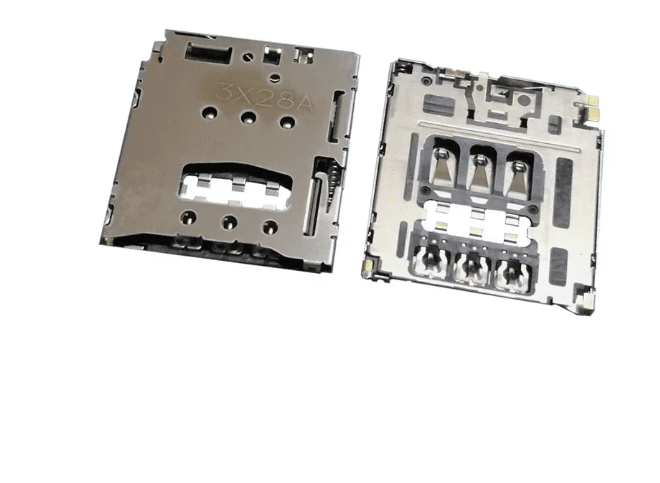
CAT S50 SIM reader slot replacement part for repairing SIM card detection problems on the Caterpillar CAT S50 smartphone. If your phone shows “No SIM”, reads the SIM only sometimes, or loses network signal after a knock, the SIM card reader socket may be bent, worn, or damaged. Replacing the SIM reader can restore a stable SIM connection and help your phone detect the card properly again.
SIM reader faults are common after drops, moisture exposure, or repeated SIM changes. The tiny pins inside the SIM slot can bend or lose contact, which leads to intermittent signal, “Insert SIM” messages, or the network dropping randomly. If you have already tested a working SIM card and the issue remains, a new SIM slot socket is often the correct fix.
CAT S50 SIM reader fault symptoms (SIM slot issues)
- Phone displays “No SIM” or “Insert SIM”
- SIM works only when pressed or held in place
- Network signal drops randomly
- SIM card not detected after a fall or impact
- Visible bent or missing pins inside the SIM reader
SIM card reader slot replacement part details
- Part type: SIM card reader slot / SIM socket holder
- Use: Restores SIM detection and stable contact
- Included: 1x SIM reader slot (as pictured)
CAT S50 SIM reader compatibility
Model: Caterpillar CAT S50. Please compare your original SIM slot with the listing images before ordering, as socket designs can vary by pin layout and mounting legs.
Before replacing the CAT S50 SIM reader (quick checks)
Test with another SIM card
- Try a different known-working SIM to rule out SIM damage
- Check the SIM is seated correctly and not warped
Check software and network settings
- Restart the phone and toggle Airplane Mode
- Ensure the phone is not locked to another network
Inspect the SIM slot pins
- Power off the phone before checking the slot
- Use a bright light to look for bent pins or debris
- Do not force the SIM card if resistance is felt
CAT S50 SIM reader installation notes
This is a repair part that typically requires opening the phone and micro-soldering skills. Professional fitting is recommended if you are not experienced with phone repairs. Installing the SIM socket correctly helps avoid pin damage and ensures reliable contact.
SIM slot fitting tips
- Use proper flux and controlled heat to protect the board pads
- Align the SIM reader carefully before soldering
- Inspect for clean joints and no bridges
- Test SIM detection before fully reassembling the phone
After-install tests for CAT S50 SIM slot repair
- Insert SIM and confirm the network name appears
- Make a test call and send a text message
- Check mobile data connection if you use it
- Confirm the signal stays stable when the phone is moved
Common questions about SIM reader replacement
Will this fix “No SIM” on CAT S50?
Often yes if the issue is caused by bent pins, worn contacts, or a damaged socket. If “No SIM” continues, the problem may be board-level damage, corrosion, or a baseband/network fault.
Is this the same as a SIM tray?
No. The SIM tray/holder is the removable piece (if your model uses one). This listing is for the internal SIM reader socket that makes contact with the SIM card.
Why buy from OtusBargains
- Quality-checked replacement parts
- Fast dispatch from Ireland
- 30-Day Money-Back Guarantee for peace of mind
- Support if you need help matching the correct CAT S50 SIM socket
Related products
Related products
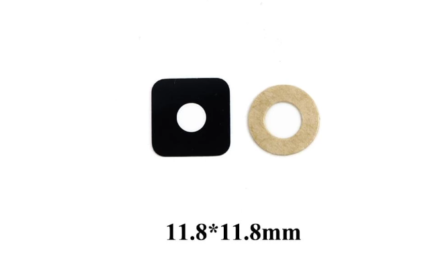
For Asus Zenfone 3 Max ZC553KL Rear Camera Lens Cover

For Huawei P Smart (2019) Rear Camera Lens
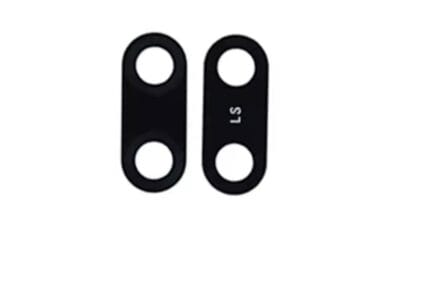
For Huawei Y7 (2019) Rear Camera Lens Cover
For Motorola Moto (droid) Z Play XT1650 XT1653 Camera Lens Cover
For Samsung Galaxy A20 Rear Camera

For Samsung Galaxy A6 Rear Camera Lens

For Samsung Galaxy A70 Rear Camera Glass Lens
