ALDI Medion LifeTab S10346 Micro USB Charging DC Port Connector Socket Replacement Part
€3.20
For ALDI Medion LifeTab S10346 Micro USB Charging DC Port Connector Socket available at OtusBargains.com. Great value with fast Irish dispatch from Ireland and a 30 day money back guarantee.
15 in stock
S10346 charging port replacement for the ALDI Medion LifeTab S10346 tablet. If your tablet is not charging properly, only charges at an angle, or disconnects when the cable moves, the Micro USB DC connector socket may be worn or damaged. Replacing the port can restore a stable charging connection and reliable USB function again.
Charging port faults often start gradually. You may notice the cable feels loose, charging becomes slow or intermittent, or the tablet stops connecting to a PC for syncing. If cleaning the Micro USB socket and testing with a known-good cable and adapter does not help, fitting a new LifeTab S10346 charging socket is a common repair.
S10346 charging port fault symptoms (Micro USB DC socket)
- Tablet charges only when the cable is held in a certain position
- Loose Micro USB plug fit or wobbly port
- Charging cuts in and out during use
- Slow charging with a good adapter and cable
- PC does not detect the tablet (data sync not working)
LifeTab S10346 charging socket details (Micro USB DC connector)
- Part type: Micro USB charging DC port connector socket
- Use: Charging + data connection repair
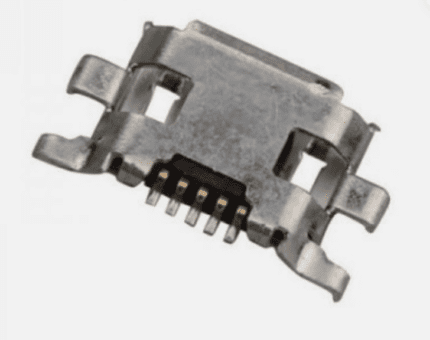
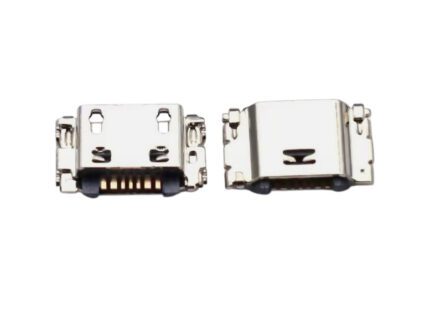
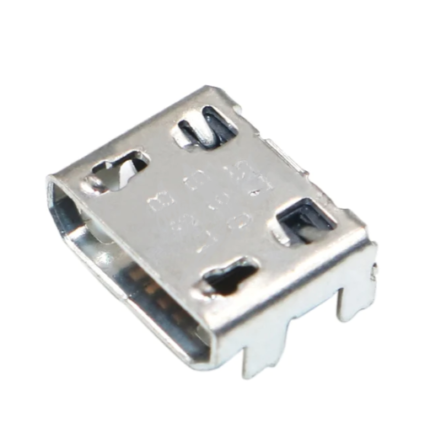
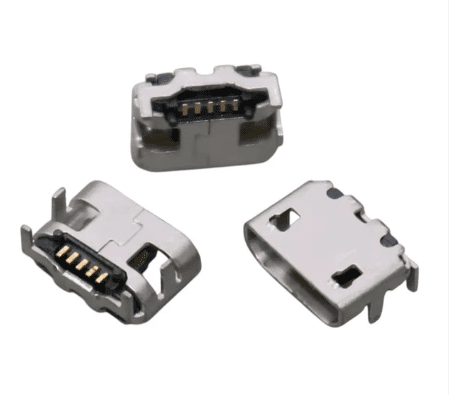
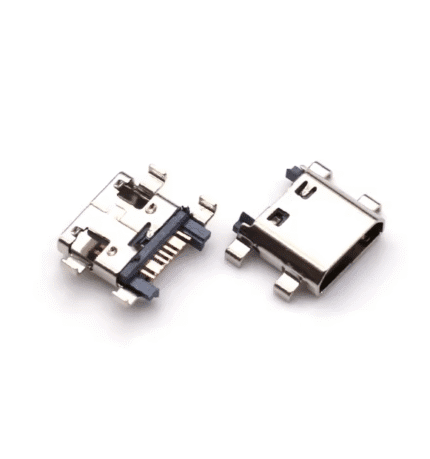
- Included: 1x connector socket (as pictured)
Medion LifeTab S10346 charging port compatibility
Device: ALDI Medion LifeTab S10346. Please compare your original connector with the listing images before ordering, as Micro USB DC ports can vary by shape, mounting points, and pin layout.
Before replacing the S10346 charging port (quick checks)
Check Micro USB cable and charger for LifeTab
- Test with a known-good Micro USB cable that charges other devices reliably
- Use a wall adapter (avoid weak laptop USB ports)
- Try another charger to confirm the issue is not the power plug
Clean the LifeTab S10346 Micro USB DC port safely
- Power off the tablet completely
- Use a light to check for lint/dust inside the Micro USB socket
- Clean gently with a wooden toothpick or plastic tool (avoid metal objects)
Check for loose S10346 charging socket movement
If the connector feels loose, wobbles, or the tablet loses charge when the cable moves, the S10346 charging port solder joints or internal pins may be failing.
S10346 charging port installation notes (Micro USB DC connector)
This repair usually requires opening the tablet and soldering skills (depending on the board design). Professional fitting is recommended if you are not experienced with electronics repair. Use proper flux and minimal heat to protect pads and tracks around the LifeTab Micro USB DC connector.
Micro USB DC socket installation tips (LifeTab S10346)
- Keep screws organized (some may be different lengths)
- Ensure the connector sits flat and aligns correctly before soldering
- Check mounting legs and pin joints for solid contact
- Test charging before fully reassembling the tablet
After-install tests for the S10346 charging port
- Confirm the charging symbol stays steady without cable movement
- Check the Micro USB plug fit feels firm and secure
- Test data connection to a PC (if you use syncing)
- Monitor for overheating near the Micro USB DC port (could indicate a short)
Common questions about LifeTab S10346 charging port repair
Will this S10346 charging port fix “not charging” issues?
Often yes if the connector is worn or the solder joints have failed. However, no-charging faults can also be caused by battery issues, damaged pads/tracks, or charging circuitry on the board. If the Micro USB DC socket is visibly loose or damaged, replacing the charging socket is a sensible first step.
Does this Micro USB connector include a flex cable?
No. This listing is for the Micro USB DC connector socket/port only (as pictured).
Why buy from OtusBargains
- Quality-checked replacement parts
- Fast dispatch from Ireland
- 30-Day Money-Back Guarantee for peace of mind
- Support if you need help matching the correct S10346 charging socket
Related products
Related products
For Garmin Nuvi 2360 Micro USB Charging Socket Port Connector
For LG K9 X210 Micro USB Charging Port Connector Socket

For Samsung J5 Prime On5 G5700 J7 Prime G6100 G530 G532 Micro USB Charging Port Dock Connector